How Haulbase works
A booking going through a yard, start to finish. Every delivery fee and total on this page was worked out by the same code your customers would use.
Renting it out
A weekend with a dump trailer
On Example Equipment Rentals, a made-up yard you can open and try.
They find your page.
yourname.haulbase.ca, from a button on your website, the booking link on your Google listing, or a line on your Kijiji ad. Every trailer with its photo and its real price.
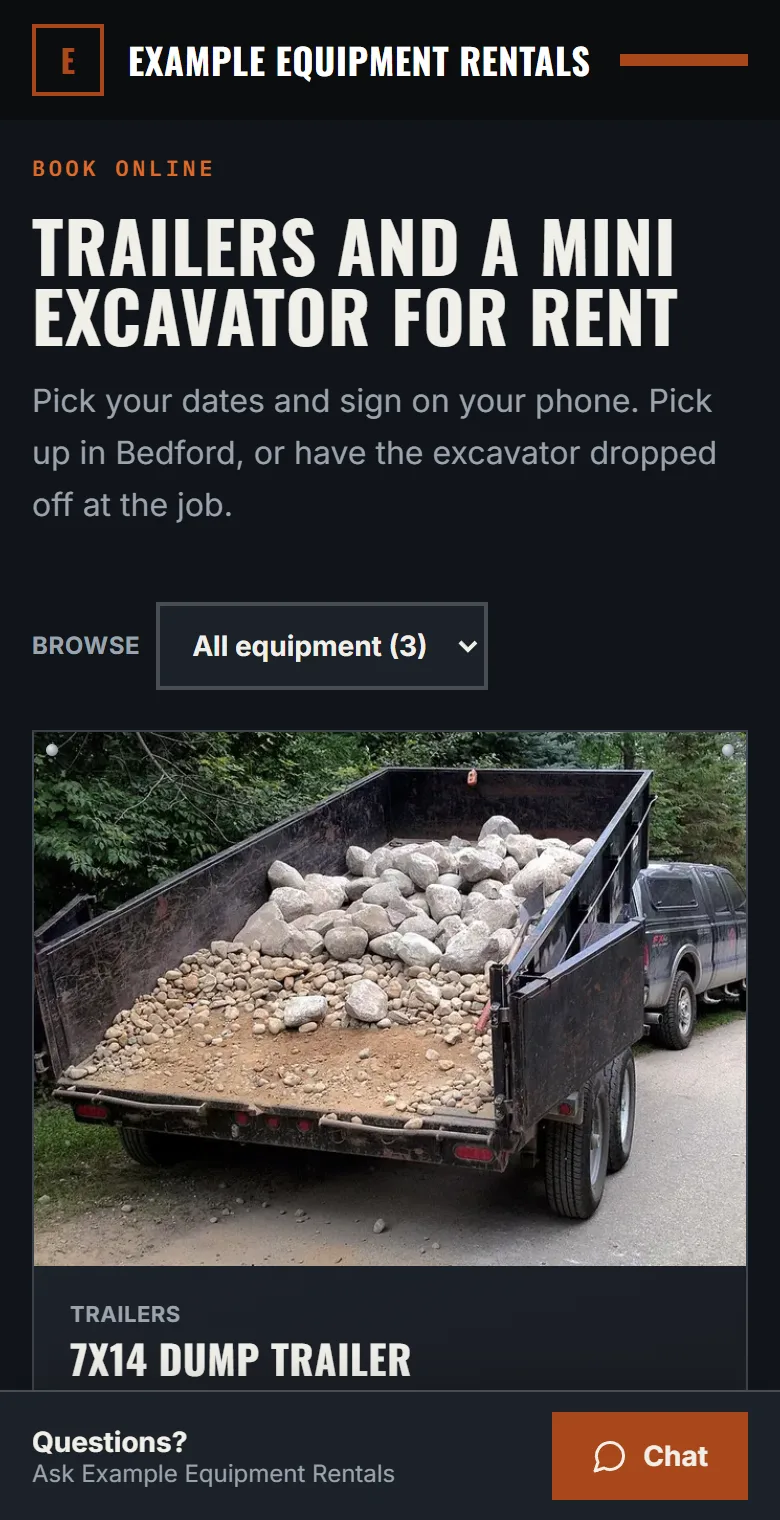
They pick their days and fill it in.
On a calendar that already shows what's booked. Name, phone and email. Your add-ons if you offer them. Delivery if you offer it, priced from their address before they send anything.
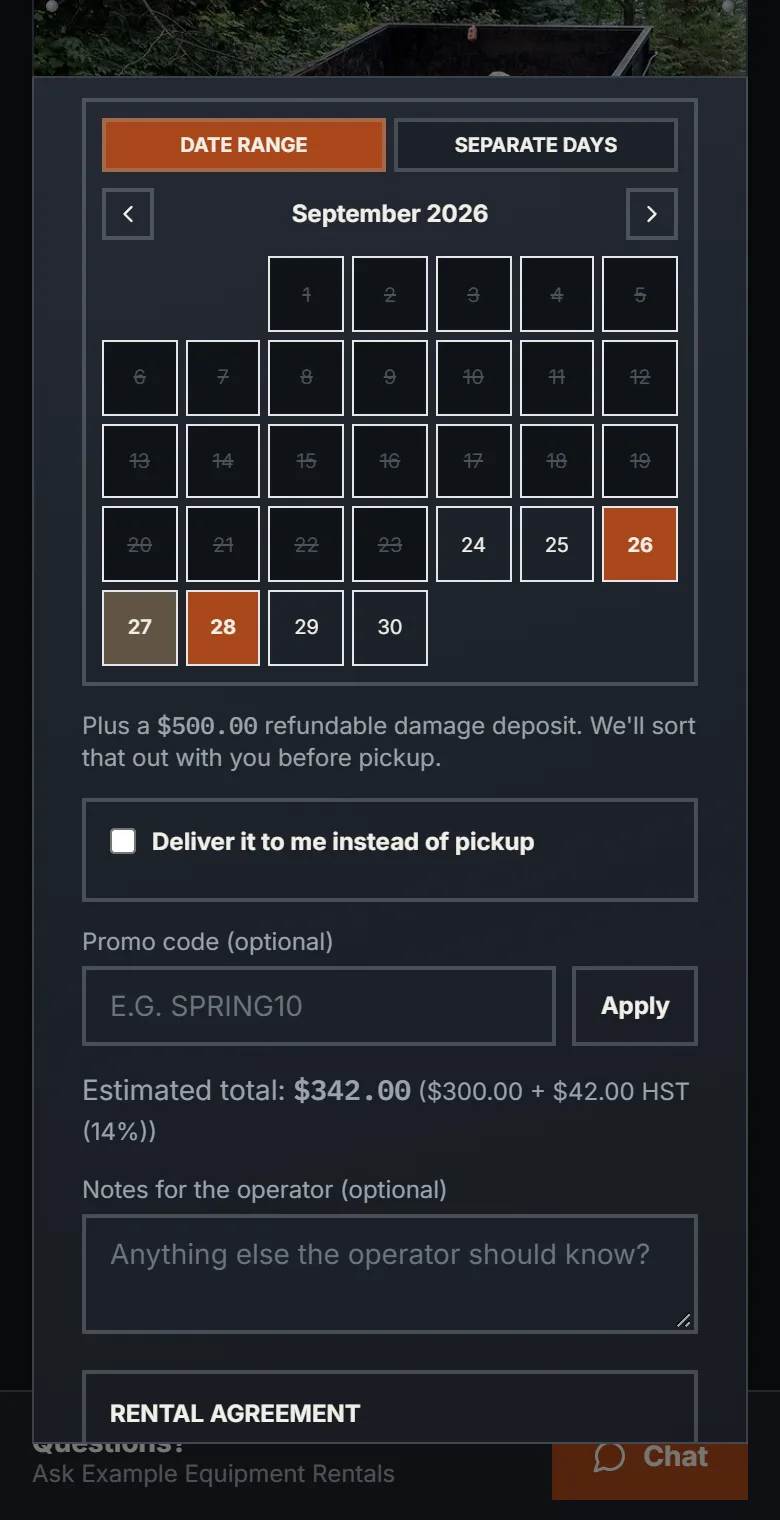
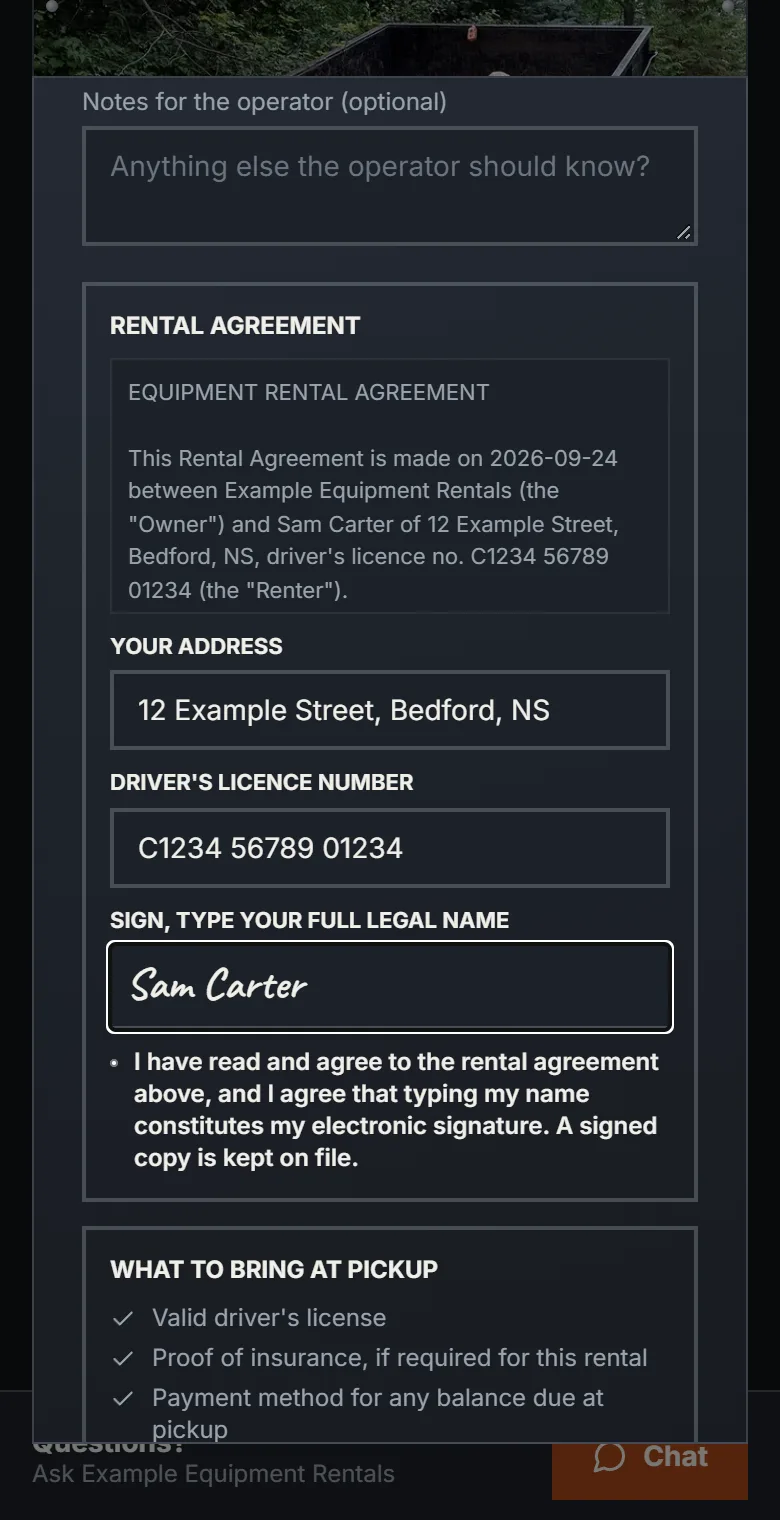
They sign your agreement on their phone.
Their address, their driver's licence number, and their full legal name typed as the signature. If you ask for a photo of their licence or their insurance, that comes first. The signed copy is emailed to you and to them.
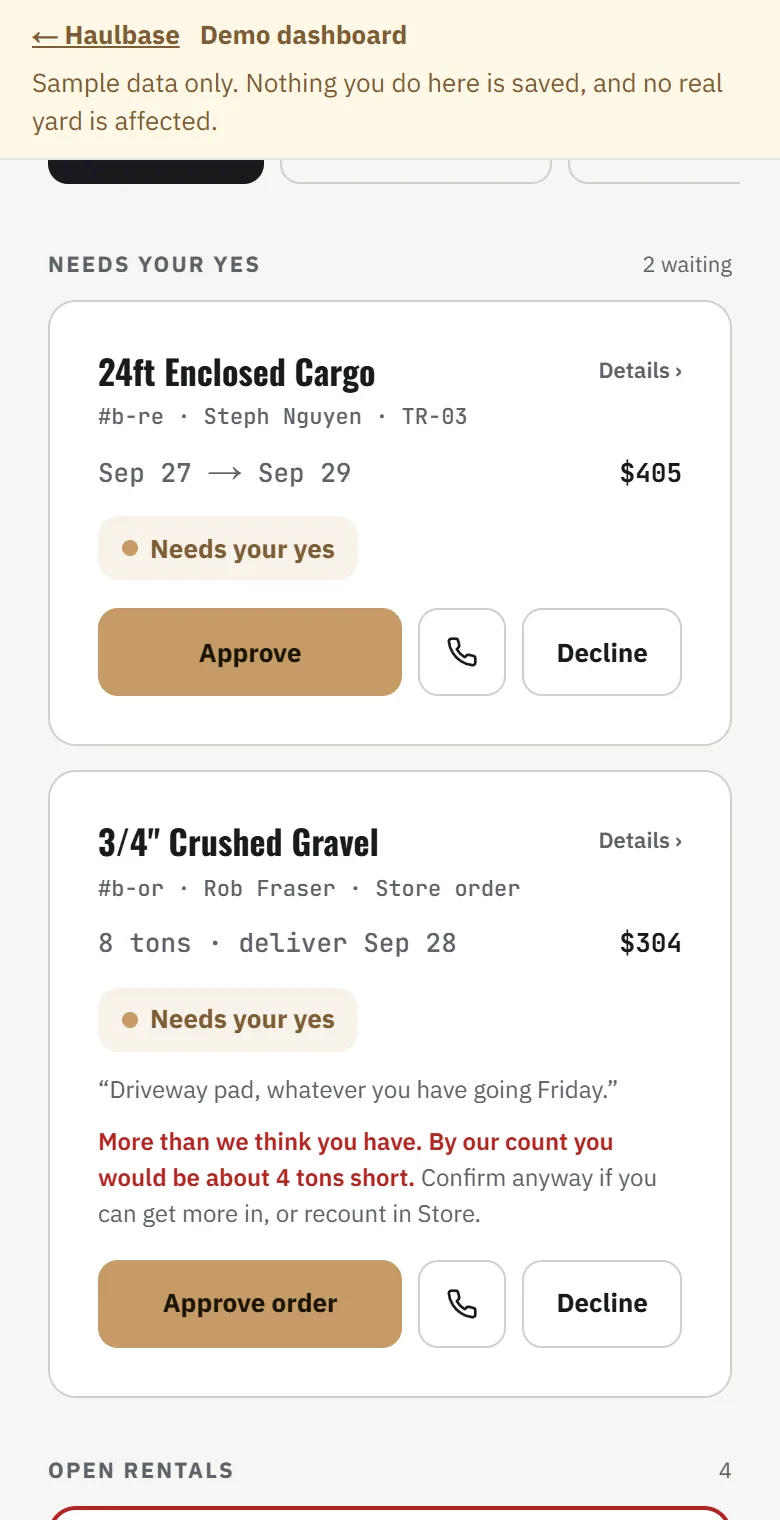
They send it, and nothing is charged.
It's a request, and it waits for you. It doesn't hold the dates yet, so if two people ask for the same weekend, you pick.
You say yes or no.
A text lands on your phone the moment they send it, or an email until you've confirmed your mobile number. Say yes and they get an email with a button to pay online or choose to pay in person, and your e-transfer address if you've added one. Say no and they're told, with nothing charged.
They pay, and the deposit goes on their card.
By card online, or cash or e-transfer at pickup, which you mark as paid. The deposit is a hold on their card, not a charge. On the example page the dump trailer out Saturday and back Monday is $300 plus HST, with a $500 hold.
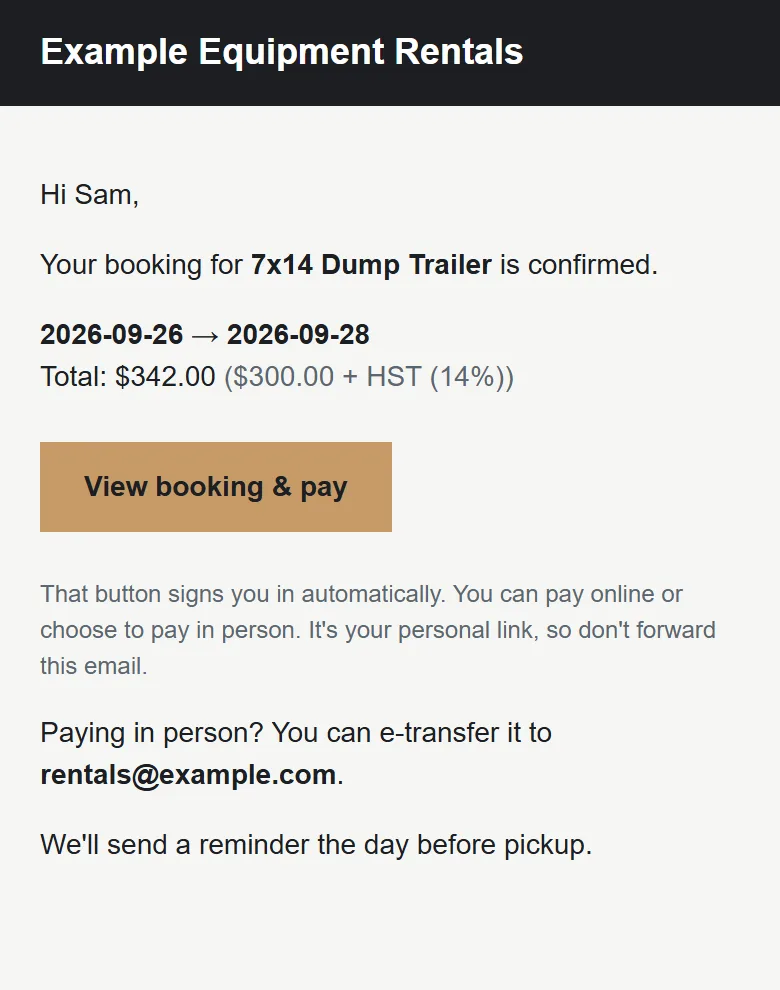
The day before, a reminder.
By email, so nobody forgets.
It comes back.
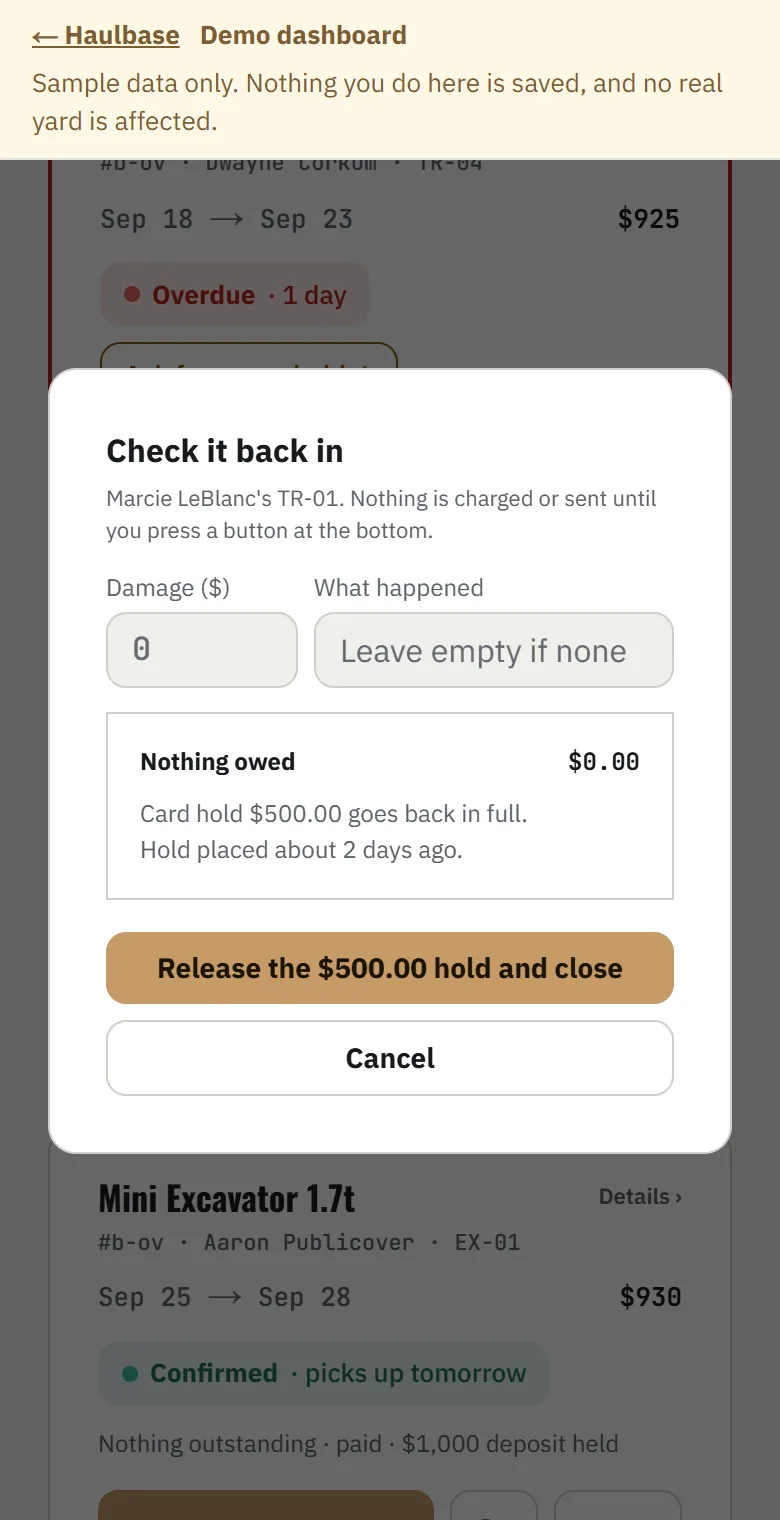
You check it in: hours if it's on a meter, fuel, and anything damaged. Anything owed comes off the hold in one charge and the rest goes back to them. A clean return releases the whole hold.
By the yard or the load
25 yards of mulch to Truro
Real numbers from Example Landscape Supply, another made-up yard, worked out the same way your customers' orders would be.
They pick the product and how much.
25 yards of Black Mulch.
They type their address and the delivery price works itself out.
Truro is 85.5 km from the yard by road. 25 yards is 3 truckloads. Delivery comes to $570.00 with the HST in.
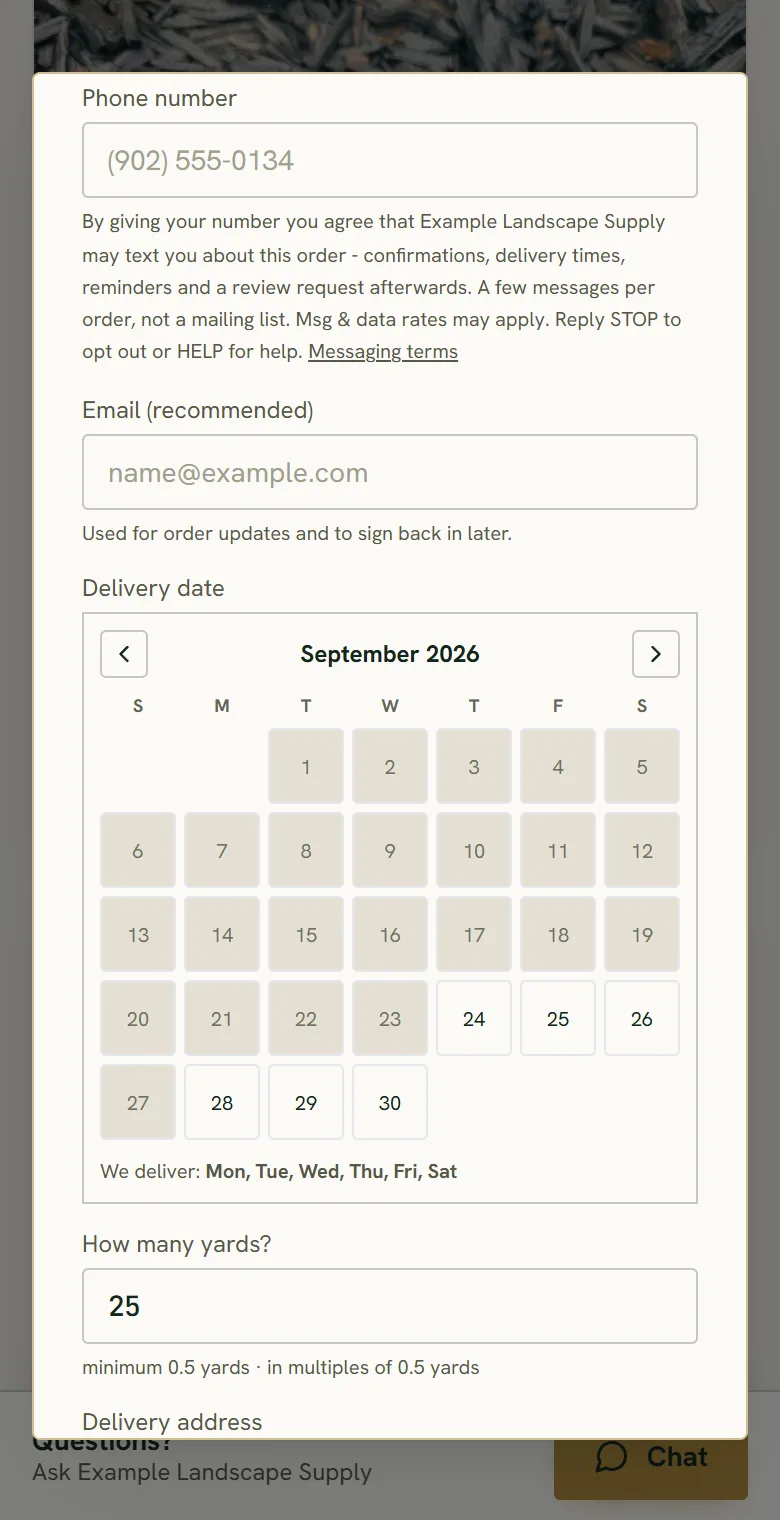
They pick a day.
Only the days you deliver, and only the windows that still have room.
They pay at checkout.
$1,995.00 for the mulch, the delivery and the HST. With Stripe connected it's paid there and then and goes straight onto your schedule, because your delivery days already decided it fits. Without Stripe, it comes in as a request like a rental does.
It's on your Deliveries list.
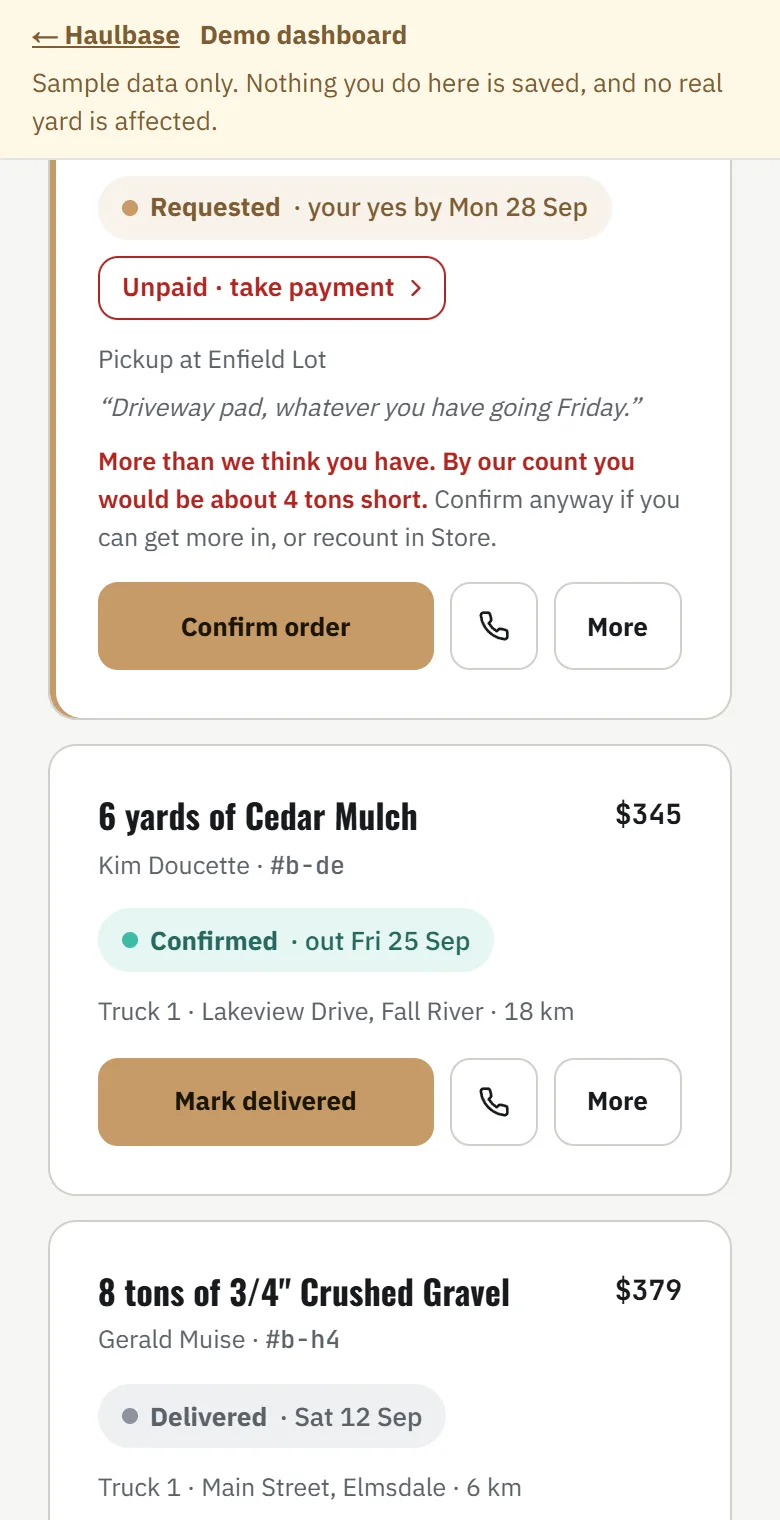
In the order it's due, with the address. Put it on one of your trucks.
Your side
What your day looks like
- Today. What needs you before anything else moves.
- Bookings. Every rental, newest first, with anything waiting on your yes pinned at the top.
- Schedule. Every booking on one calendar. Drag to move a rental or change its dates.
- Deliveries. Orders to be dropped off, in the order they are due.
- Front counter. Ring up a walk-in customer and take payment at the counter.
- Fleet. Your rental equipment, with rates, photos, and what each unit is doing today.
Somebody rings instead? Book it in yourself, and they get an email with a link to sign your agreement and pay. Today tells you who hasn't signed yet, and one button sends it again.
Where the money goes
The money
- Cash and e-transfer work exactly like they do now. Mark it paid. No platform fee.
- Cards go through your own Stripe account. The money lands in your bank, not ours. Stripe charges its card fee to you directly, the same as anywhere you take a card. We don't set it and we don't see it.
- The platform fee is a percentage of what's paid online through your page. Only when you actually get paid: 10% on Free, 2.5% on Growth at $147 a month, and 1% on Unlimited at $497 a month. Growth pays for itself at about $2,000 a month booked online.
- A deposit is a hold, not a charge. A clean return releases it. Card networks drop a hold after about seven days, so a longer rental gets a button to ask for a fresh one.
- Free to start, no card. Nothing to pay until you get paid.
Starting
Getting set up
Sign up.
Five steps: Business, Your look, First listing, Get paid and Plan.
Paste your website and your page is built from it.
Every guess is marked in amber for you to check. Nothing is public until you publish.
Publish.
Connect Stripe and put a phone number on the page. Cash keeps working after. Stripe is what lets a customer pay by card and hold a deposit.
Point people at it.
A button on your website, a line on your Kijiji ad, the booking link on your Google listing, and a sign for the gate.
Or I'll set it up with you.
Talk to JoshAsked before
Straight answers
- Do I need my own website?
- No. You get your own address, yourname.haulbase.ca, when you sign up, and it goes live when you publish.
- I just take cash.
- Keep taking cash. Every customer can choose to pay in person, and you mark it paid. You do connect Stripe to publish, which is what lets someone pay by card if they'd rather, and what holds a deposit.
- It's only a couple of trailers.
- That's who it's built for.
- I already have a rental agreement.
- Use yours. Or start from the one built in for your province.
- What about Quebec?
- Everything works, tax included. The one thing we don't give you is an agreement: the law there wants a French contract, and that's a job for a Quebec lawyer.
- The machine's mine first. Can I block my own jobs?
- Yes. Mark it off for service or your own work and it can't be booked for those days.
- Do my customers get texts?
- On Growth they do: a missed call texts them your booking page, and they hear from you by text as well as email. On Free they hear from you by email. Your own alerts come by text on any plan once you've confirmed your mobile.
- What if Haulbase goes down?
- Your yard keeps renting. You take that one on the phone like you do now, and your data exports any time from Settings.
- Is this Canadian?
- Built and run in Nova Scotia. Priced in Canadian dollars, with your province's tax worked out for you, and a rental agreement written for your province.